How HealthyByAI Works
Train anywhere. Start instantly. Keep improving.
One training flow, start to finish
Train with what you have, start in seconds, and keep improving
Browse /cross-training-hub.html for the full overview: workout generation, built-in timers, progress logging, mobility recovery, and leaderboard accountability.

Step 1: Train with what you have
Set up your equipment & skills

Step 2: Start workout in seconds
Start fast with what you have


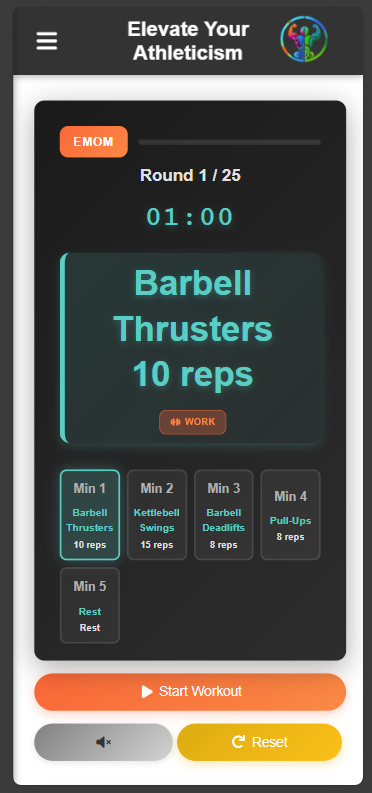
Step 3: Automatic guided timer
Focus on training, not the clock
Every workout is paired with an automated timer that matches its format — EMOM, AMRAP, For Time, and warm-up — so you never have to set it up yourself.
Step 4: Log results
Every workout you log teaches the next one

Step 5: Recover and repeat.
Keep momentum with accountability


Recover better. Train better.
Guided mobility, recovery stretches, and exercise library
Browse /mobility-hub.html for the full overview: mobility hub, recovery stretches, exercise library, and built-in mobility timer — all generated for you.


One Tap to Never Miss a Workout
Add HealthyByAI to your home screen. Instant access. No app store needed.
- Open HealthyByAI in Safari
- Tap the Share button (box with arrow)
- Scroll down and tap Add to Home Screen
- Tap Add to confirm
Screenshots for the iOS Share menu and Add to Home Screen steps will appear here.
- Open HealthyByAI in your browser
- Tap the menu icon (⋮ three dots)
- Tap Add to Home Screen
- Tap Install to confirm
✓ Works offline • ✓ No app store needed • ✓ Takes 30 seconds!
Screenshot of the automatic install banner will appear here.
Spend time on workouts.
Not on creating schedules.
Ready to Stop Planning and Start Crushing?
Your first 7 days are free. No credit card. No excuses.